Most planners are still running their events across three or four different tools.
The seating chart sits in a spreadsheet, urgent updates go out on WhatsApp, and the event page lives somewhere else entirely.
We’ve shipped four updates to bring those jobs back into one place. Here’s what each one does, and how it changes the way you plan events.
Seat Your Entire Guest List Without a Spreadsheet
Seating is where most large-scale events can fall apart. You build the chart in a spreadsheet, then someone swaps a plus-one, a sponsor adds two guests, and you have to start again.
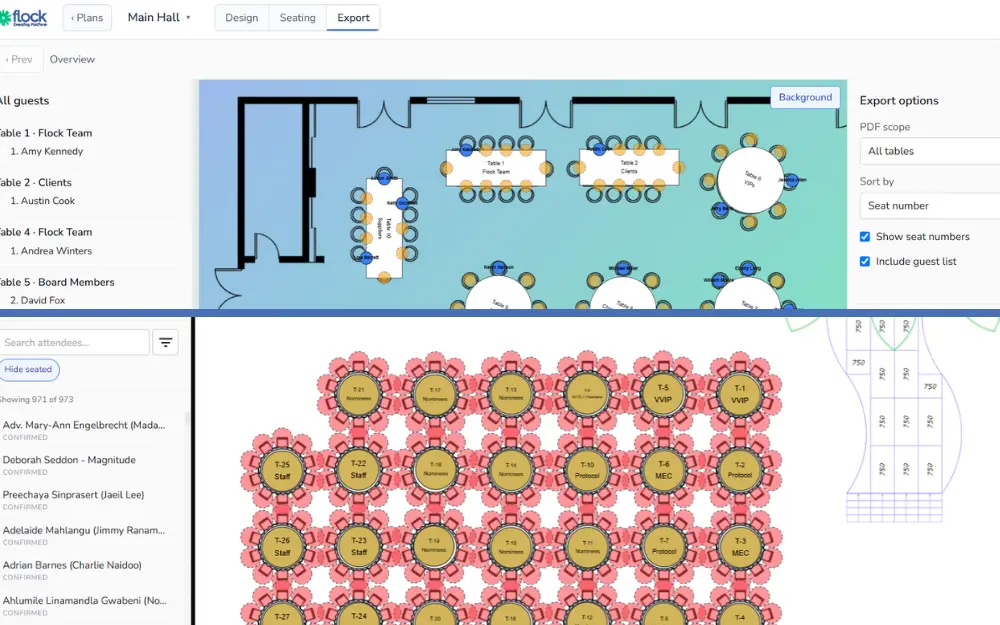
This is where our table seating platform comes in. Create tables directly inside the platform and assign attendees straight from your registration data.
No more copying names across from another file or having seven versions of your spreadsheet sitting in someone’s inbox.
With our seating platform, you can:
- Create and manage tables for each event.
- Assign attendees to specific tables and view every allocation at a glance.
- Search any attendee and see their table instantly.
- Manage VIPs, hosted guests, and other attendee categories separately.
- Make changes as they come in without rebuilding the chart.
- Export seating lists for your onsite and catering teams.
The platform is also great to use on the night of your event. If a guest arrives and can’t find their name, your team can search and answer them in seconds without a queue building up behind them.
Turn Attendees Into Your Content Team with Event Feed
Your attendees are already taking photos. Now, Event Feed gives them somewhere to put them.
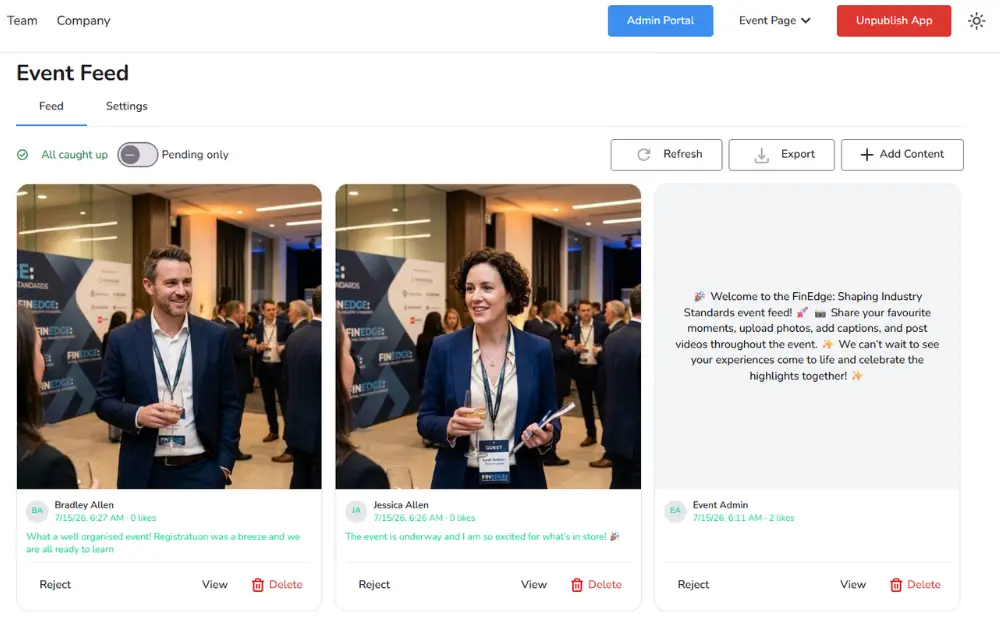
Event Feed is an interactive space inside your event app where attendees can share photos, videos, and comments as the day unfolds. Everything lands in one central feed that the whole room can see.
You can also post from the CMS, so your announcements sit in the same stream as event admin. Event Feed also allows you to:
- Approve or reject each attendee post before it publishes.
- Block specific words or phrases with custom moderation settings.
- View moderation lists with attendee details.
- Choose whether attendee names appear on posts.
After the event, you can export the content for social posts and reports without chasing down attendees for photos.
Ever Answer Attendees’ Needs on One Page
Every planner knows the week before an event, when the same five questions arrive from forty different people.
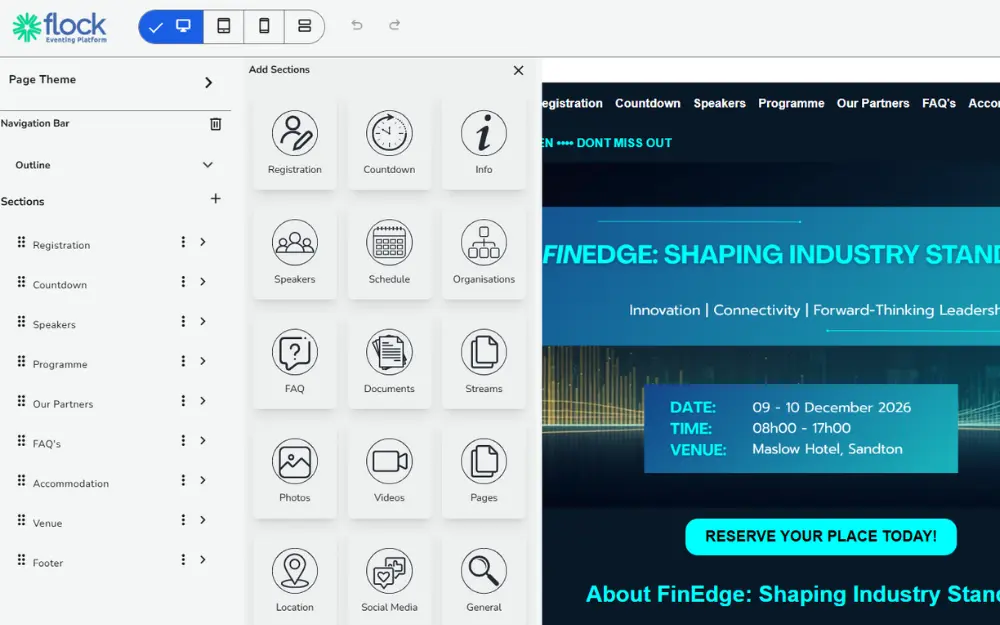
The improved Flock Event Pages give attendees one place to find it all.
You build from responsive templates that work properly on desktop, tablet and mobile. Pick a layout that suits your event type, then organise everything into tabbed sections so nobody has to scroll to find what they need.
This includes:
- Agendas.
- Speakers.
- Venue and parking information.
- Travel details.
- FAQs.
- Any extra content your event needs.
The result is fewer emails in your inbox and a page that looks professional enough to send to a sponsor. Your attendees get one link that answers everything, and you get hours of your time back.
Reach Every Attendee, Even Offline
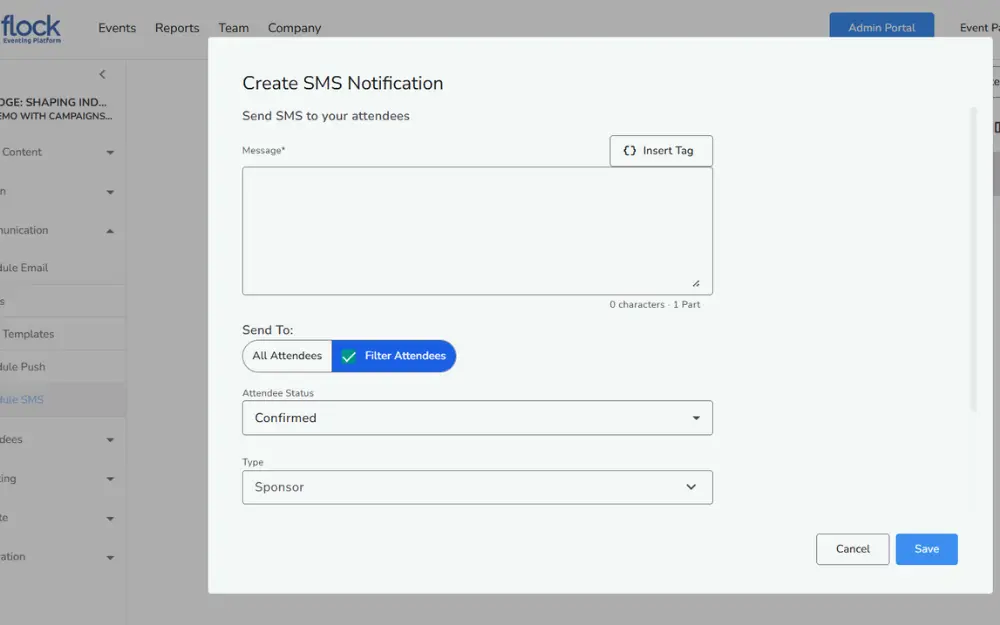
The venue changes at 7 am. Do you trust an email to reach 300 people before they set off?
This is where an SMS is a game-changer and why Flock now lets you send text messages to attendees straight from the platform.
It’s built for the moments where timing matters, including:
- Reminders in the days and hours before the event.
- Last-minute changes to venue, times or programme.
- Operational announcements during the event itself.
- Targeted messages to specific attendee groups where you need them.
Because it runs off your registered attendee data, you also don’t have to export numbers to a separate tool or maintain a second list.
You select who needs to hear it, write the message, and hit send.
Four Updates, One Simpler Event with Flock
Four features, less admin for you, and a better experience for the people in the room.
All of our platform updates are live, so you don’t need to wait to start streamlining your events! Book a demo, and we’ll show you how these features work with the events you’re already planning.